Monday, June 7, 2010

Developing new account types, Part 3: Updating folders (part 3)

This series of blog posts discusses the creation of a new account type implemented in JavaScript. Over the course of these blogs, I use the development of my Web Forums extension to explain the necessary actions in creating new account types. I hope to add a new post once every two weeks (I cannot guarantee it, though).

This blog post is a continuation of my previous two posts, which is being broken up into multiple segments to lower the amount of text one has to read in a single sitting. The current step is to actually implement the folder update.

Only new messages

Now that we know how to add messages to the database, we need to figure out how to find the downloaded messages.

It should go without saying that checking to see if you actually need to update the folder should be the first thing you probably want to do in this function. In my extension, I need to download the front page of the specific board and check the topic list to see if it matches what is stored in the database.

For now, at least, I can rely on the forum telling me about the number of replies in a thread (one less than the number of total messages), as this is shown in the thread index of a forum. What I do is grab the reply count that I've seen and subtract that from the number that is listed to get the number of new messages I need to download. Then I need only to look at the last few messages to add them to the database.

At this point, I have two main issues to worry about. First, I am working with paginated return results. That means I actually need to load multiple documents. Second, I am not getting a list of messages, but a list of threads; therefore, I need a database that is associated with threads [8].

The database I use is a simple JSON object that exists for each folder, and so far only has a mapping of threads to the reply count that I've seen; I may give it more in later iterations of this extension.

Pagination is where the trickery in implementation comes in. First, I need to look at the thread index for new messages; if I have seen all of the messages in the last thread, I can stop looking at new pages. Otherwise, I have to grab the next page and continue recursing. Note that it is possible to hit a thread that I've fully seen and still have threads I've not seen: sticky messages can be infrequently updated yet still make it first on my list of messages.

The other issue is when loading threads. The link I end up scraping is to the first page of messages for that thread, which I may already have seen. So I need to skip over pages until I find the page that first has new messages. For now, I'm doing this naïvely by actually loading each page and counting the number of posts rather than trying to deconstruct URLs and calculating where to load. I then need to look at the last set of posts, not the first set, so I calculate the start position and read forwards. Since I'm using querySelectorAll, I get an array of results, so I don't worry about having to throw out a number of iterations; I can just start in the middle when iterating.

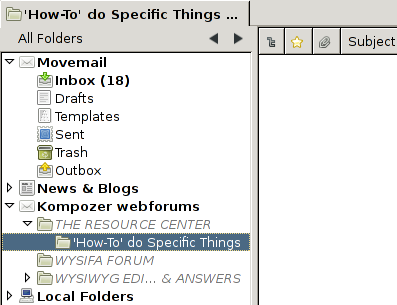
Once all of that is implemented, we can then put everything together to make a proper implementation of updateFolder, the function we started implementing a few pages ago. The end result is that, when all is said and done, you can load up the message pane (the last column is the number of messages in the thread): The thread pane after implementation

By comparison, here is an equivalent view of the forum that I loaded this from: The equivalent forum list

Now, I wish to ask you, which user interface would you rather use to view the forum?

Some notes for implementors: be prepared to delete your msf files over and over again. I would recommend tackling the individual components in this order: first build a message, then your protocol object (I found it easier to test when the running tasks were already known to be working), and then start work on tying it all into the database. Leave issues like threading for after the basic stuff is laid out, then tackle determining which messages are new if it's not implicit in what you do (i.e., you don't have a "get new messages" query you can readily use). Pagination should be last: everything is easier to test if you only have a small number of messages you really need to test.

I apologize for the excessive length of this step; this happened to be pretty much the first step where most of the necessary technology had to be used. The next step is to actually be able to display the messages in our database, which should be shorter.

Notes

  1. Kent James and I are both working on developing new account type extensions (he doing an Exchange connector and I this blog series); both of us have identified the narrow-mindedness of the database as an issue. It is therefore possible that my workaround here will not be necessary in the next few versions.

Friday, May 21, 2010

Developing new account types, Part 3: Updating folders (part 2)

This series of blog posts discusses the creation of a new account type implemented in JavaScript. Over the course of these blogs, I use the development of my Web Forums extension to explain the necessary actions in creating new account types. I hope to add a new post once every two weeks (I cannot guarantee it, though).

This blog post is a continuation of my previous post, which is being broken up into multiple segments to lower the amount of text one has to read in a single sitting. The current step is to actually implement the folder update.

Folder updating

To actually achieve our goal of getting a correct message list, we are going to modify the implementation of updateFolder. This function is called whenever a folder is selected in the folder pane; conceptually, you can view the function as causing the cached database to be resynchronized with the actual folder. For example, this is where a local folder would actually reparse the mailbox if the database was incorrect or missing.

This function essentially consists of three steps: figure out new messages, process them (i.e., apply filters), and then announce to the world that they exist. Some account types (like IMAP) may need to do more involved message processing, but this is the general gist of what goes on [4]. I'll ignore the processing step until I start talking about filters.

Database Details Devil

To start with, I'll cover the last step. Announcing to the world that a message exist boils down to adding a new header to the database. So how do you add a new header to the database? It requires three easy steps: create the header, populate the fields, and then add it to the database. With the proper listener setup, all of the other notification is done for you automatically. But as they say, the devil is in the details.

Let me begin by explaining some things about messages. There are five different representations of the message: the message key, the message header, the message ID, the message URI, and the necko URL object. Siddharth Agarwal has a nice diagram that shows how to convert between these representations. The last two are more concerned with displaying messages; it is the first three that are interesting right now.

Message keys are the internal database key for a message; the tuple (folder, key) is guaranteed to be unique by the database. Message keys are unsigned 32-bit integers (with 0xFFFFFFFF, or -1 in 2's complement, reserved as the "no message here" key). In general, any time a property needs to refer to another message, the message key is used; as a consequence, it means that such properties cannot refer to stuff across folders.

Message IDs are the RFC 5322 identifier for a message. These identifiers are supposed to be unique (for logical messages, not in a "the message at offset 0x234f3d in this file" sense). The most important use case for message IDs is that they are a critical component for threading.

The message header object is an object of type nsIMsgDBHdr. These are objects are directly backed by the database. However, many of the properties do not notify the database of changes, so you generally do not want to actually set them. Like all generalities [5], there are exceptions to this rule. Right now, we want to manipulate headers before adding them to database, and therefore we do not want to notify people of changes to not-yet-existing headers, so we want to actually use the fields of nsIMsgDBHdr.

So, the first thing you need to do is to decide what your message key is. Message keys are going to be used to get the message URI, so it should be a property that is easy to associate with methods. IMAP uses message UIDS, local folders the offset into the mbox [6], and NNTP uses the key numbers in the group. In my case, it appears that the forum assigns each post a unique number, so that is what I'll use.

After the message key, the most important properties are the major ones for display. The author attribute correlates to the "From" header, subject to the "Subject" header, and date to the "Date" header. All of these will be used to generate values in the thread pane columns; things would look strange without these.

The other major property in the display is flags. Flags, as the name implies, is an integer where each bit corresponds to a different flag. The most important of these are probably HasRe, Flagged, and New. Flags should be set with OrFlags and AndFlags instead of manipulating the value directly. And don't set these values with the mark* methods, as these cause notifications to be fired (remember that we haven't added the message to the database yet).

If you want to do real threading, you will want to set message IDs and references [7]. The References header is a space-separated list of message ID tokens (wrapped in angle brackets), although the parser routine in the database does a pretty good job of ignoring any random crap. The list is in the reverse order of hierarchy, so the last element is the message's parent, second-to-last the grandparent, etc.

Threading is implemented in the following manner. First, the database attempts to find a message for each message ID in reverse order. If it finds one, that is made the parent header and threading stops. Otherwise, if correct threading is enabled, an attempt is to made to find a thread which has that message ID. Otherwise, if use strict threading is not enabled, a thread that has a message which has the same subject (without Re) is used as the thread. If threading without re is disabled, the message has to have the HasRe flag checked to perform the last step. Finally, if a thread could not be found by this point, a new one is created.

To combine messages in a thread, then, the References field needs to be set for the messages. If people enable correct threading (this is done by default), you can use a simple trick: create a valid message ID for each thread and stuff that as the References header.

A practical example

In my case, I have an author (without email addresses), a subject (with possible non-ASCII text but without Re: stuff), a date in a standard format, as well as a simple per-thread unique identifier for message keys. I also want to make threads—although this will only be two-level threads. Ideally, I should also be flagging the sticky threads, but I'll leave that for a later version. So what does this code look like?

_loadThread: function (document, firstMsgId) {
  let database = this._folder.getDatabase();
  let conv = Cc['@mozilla.org/messenger/mimeconverter;1']
               .getService(Ci.nsIMimeConverter);
  let subject = /* one for the thread */
  let hostname = this._folder.server.hostName;
  let charset = document.characterSet;
  /* for each new message */ {
    let postID = /* generate msg key */;
    let author = /* get author name */;
    let date = new Date(/* get text string*/);
    let msgHdr = database.CreateNewHdr(postID);
    // The | is to prevent accidental message delivery
    msgHdr.author = conv.encodeMimePartIIStr_UTF8(
      author + " <" + author + "@" + hostname + "|>", true, charset, 0, 72);
    msgHdr.subject = conv.encodeMimePartIIStr_UTF8(subject, false, charset,
      0, 72);
    // PRTime is in µs, JS date in ms
    msgHdr.date = date * 1000;
    msgHdr.Charset = charset;
    msgHdr.messageId = postID + "@" + document.documentURI;
    if (firstMsgId) {
      msgHdr.setReferences("<" + firstMsgId + ">");
      msgHdr.OrFlags(Ci.nsMsgMessageFlags.HasRe);
    } else {
      firstMsgId = msgHdr.messageId;
   }
   msgHdr.OrFlags(Ci.nsMsgMessageFlags.New);
   database.AddNewHdrToDB(msgHdr, true);
  }
}

First, we get a reference to the database. Remember we implemented this in our last step, so this shouldn't present any problems. We also get the things that are shared in this thread: the subject, hostname of the server, and the charset. For each of the posts, we collect the post ID, the author, and the date of the post as text strings, and then convert them into an integer, string, and a date respectively.

Using the CreateNewHdr function, we get a new message header that we can manipulate. Since I'm trying to be aware of non-ASCII text, I'm using the MIME encoding strings to prepare the author and subject. Remember that the MIME specifications want you to encode non-ASCII text in the headers; the function we use is the simplest way to do the encoding.

If you're not working with actual email, the from string can be contorted. What I did was to create a fictituous email that could be theoretically tied back to the author in a systematic way (for a possible future compose code that does forum private messaging). The purpose of the pipe character at the end is to prevent accidental mail delivery; I also used the hostName and not the realHostName, so this email address would be traceable even if the user changes the host name on me.

The message date I have is a formatted string; the Date constructor is pretty handy at converting most forms of these strings into a usable JS Date object. Then I have a JS Date object, which is measured in milliseconds, whereas the date attribute is a PRTime, which is measured in microseconds, so I need to multiply by 1000 to actually set the property. Ironically, the date is actually stored in seconds in database and is converted to and from microseconds on the fly.

The Charset attribute, apparently only used for search right now, is derived from the character set as reported by the DOM. This means that it is the same character set as would be assumed by the layout engine, including character set overrides.

The message ID is simpler to generate: valid URIs are pretty much valid right-hand-sides of a message ID. A post is pretty much representable as a tuple of the thread page and the path to the post in the DOM, so this message ID is also an easy way to get to the message. References are also generated as I described above; in a later version, I may try to do sniffing to figure out from quoting who is replying to whom and recreate actual threads. Note that when setting the message ID, the outer angle brackets are optional.

The last thing I set is the flags. A complete listing of flags can be found on MDC. In this case, the only flags I care about are HasRe (since I want to generate "Re:" headers) and New; most of the others will probably be set by the user in the UI.

Finally, we add the header to the database. The last parameter tells the database to tell anyone listening that we have a new message. After we have loaded all of the messages, we need to commit the database:

database.Commit(Ci.nsMsgDBCommitType.kLargeCommit);

A brief note to make here: it doesn't really matter if you do a large or session commit, they both end up doing the same thing. Small commits end up doing nothing.

Notes

  1. Like most synchronization stuff, you theoretically also have to deal with deletion on the remote side as well as read changes, etc. The more I think about it, the more I'm torn on whether or not I should implement it. For now, I'll recommend that you weigh the cost of trying to determine deleted messages versus the commonality of deletion or other modification.
  2. Except, I am told, that all words that end in -tion in French are female.
  3. Incidentally, this is a major part of the reason why there is a 4 GiB limit on mailbox size in Thunderbird and SeaMonkey.
  4. What about In-Reply-To, you may ask. This information is pretty much redundant with References, so what happens is that, for the purposes of computing threading, this header is appended to the References header. And you do this before calling on the database header.

Wednesday, May 12, 2010

Developing new account types, Part 3: Updating folders (part 1)

This series of blog posts discusses the creation of a new account type implemented in JavaScript. Over the course of these blogs, I use the development of my Web Forums extension to explain the necessary actions in creating new account types. I hope to add a new post once every two weeks (I cannot guarantee it, though).

In the previous blog post, I showed how to get an empty message list displayed in the folder pane. The next step is to actually implement the folder update. Since this task involves several tasks, I will be breaking this step into multiple blog posts.

Getting a DOM for HTML

In terms of webscraping, I treat the first step as simply turning a URI into a DOM. The developer center actually has some good resources on this, if you have access to a document object. The issue, though, is getting a document object, since your code will likely be running from an XPCOM component [1]. What is needed then, is a utility method for loading the DOM. This is the code I've been using:

function asyncLoadDom(uri, callback) {
  let doc = Cc['@mozilla.org/appshell/window-mediator;1']
              .getService(Ci.nsIWindowMediator)
              .getMostRecentWindow("mail:3pane").document;
  let frame = doc.createElement("iframe");
  frame.setAttribute("type", "content");
  frame.setAttribute("collapsed", "true");
  doc.documentElement.appendChild(frame);
  let ds = frame.webNavigation;
  ds.allowPlugins = ds.allowJavascript = ds.allowImages = false;
  ds.allowSubframes = false;
  ds.allowMetaRedirects = true;
  frame.addEventListener("load", function (event) {
    if (event.originalTarget.location.href == "about:blank") return;
    callback(frame.contentDocument);
    doc.documentElement.removeChild(frame);
  }, true);
  frame.contentDocument.location.href = uri;
}

The first argument is the URI to load, as a string, and the second argument is the function to be called back with the DOM document as its sole argument. An added benefit to this method is that it also uses an asynchronous callback method, so you're not blocking the UI while you wait for the page to download. This code will likely not be called except by the protocol object, though, since we probably want to throttle the number of pages loaded up at once.

The protocol object

Earlier, I mentioned that one of the implemented objects wasn't actually mandatory. This object was the protocol object. An instance of this object is meant to wrap around an actual connection to the server; where you don't need to connect to a server, this object might not be worth implementing. In reality, it is still a useful thing to have if you have a non-trivial account type—any time a task is more complicated than "load this thing and use it," a protocol object can help with managing multiple subtasks.

For a wire protocol, the implementation of this object should be straightforward. It would essentially be a state machine, with an idle state entered after setting up the connection during which the instance can accept tasks to do. A state machine could also be done for webscraping-based account types, but I am using a more queue-based approach due to how I have structured the web loads.

At a high level, server requests are chunked at two levels. On the higher level, the application makes calls to functions like updateFolder; these calls I have decided to term tasks. The lower level requests are the requests you communicate to the server; for lack of any better terminology, I will refer to these as states[2]. In my implementation, I keep two queues, one for each of these.

Managing the queue for tasks is best done at the server. The overall logic is actually rather simple:

const kMaxProtocols = 2;
wfServer.prototype = {
  /* Queued tasks to run on the next open protocol */
  _queuedTasks: [],
  _protocols: [],
  runTask: function (task) {
    if (this._protocols.length < kMaxProtocols) {
      let protocol = new wfProtocol(this);
      protocol.loadTask(task);
      this._protocols.push(protocol);
      return;
    }
    for (let i = 0; i < this._protocols.length; i++) {
      if (!this._protocols[i].isRunning) {
        this._protocols[i].loadTask(task);
        return;
      }
    }
    this._queuedTasks.push(task);
  },
  getNextTask: function (task) {
    if (this._queuedTasks.length > 0)
      return this._queuedTasks.shift();
    return null;
 },
};

The runTask method is designed to be called with a task object; for the core mailnews protocols, this is primarily being called by the service [3]. For now, I've made the value for the maximum number of protocol objects unchangeable, but it is probably better to allow this value to be configurable via a per-server preference.

The core implementation of the protocol running object for webscraping is not too difficult:

const kMaxLoads = 4;
function wfProtocol(server) {
  this._server = server;
}
wfProtocol.prototype = {
  /// Queued URLs; first kMaxLoads are the currently running
  _urls: [],
  /// The current task
  _task: null,
  /// Load the next URL; if all URLs are finished, finish the task
  onUrlLoaded: function (url) {
    if (this._urls.length > kMaxLoads)
      this._urls[kMaxLoads].runUrl();
    this._urls.shift();
    if (this._urls.length == 0)
      this.finishTask();
  },
  /**
   * Queue the next URL to load.
   * Any extra arguments will be passed to the callback method.
   * The callback is called with this protocol as the this object.
   */
  loadUrl: function (url, callback) {
    let closure = this;
    let task = new UrlRunner(url, this);
    let argcalls = [null];
    for (let i = 2; i < arguments.length; i++)
      argcalls.push(arguments[i]);
    task.onUrlLoad = function (dom) {
      argcalls[0] = dom;
      callback.apply(closure, argcalls);
    };
    this._urls.push(task);
    if (this._urls.length <= kMaxLoads)
      task.runUrl();
  },
  /// Run the task
  loadTask: function (task) {
    this._task = task;
    this._task.runTask(this);
  },
  /// Handle a completed task
  finishTask: function () {
    let task = this._server.getNextTask();
    this._task.onTaskCompleted(this);
    if (task)
      this.loadTask(task);
  }
};
/// An object that represents a URL to be run
function UrlRunner(url, protocol) {
  this._url = url;
  this._protocol = protocol;
}
UrlRunner.prototype = {
  runUrl: function () {
    let real = this;
    asyncLoadDom(this._url, function (dom) {
      real.onUrlLoad(dom);
      real._protocol.onUrlLoaded(real._url);
    });
  },
  onUrlLoad: function (dom) {}
};

The protocol is initialized by calling loadTask, which calls runTask on the task object. This would make some calls to loadUrl which will load it (since the max has not been loaded yet). When the function is loaded, via UrlRunner.runUrl, the callback function is called and then the onUrlLoaded function is called to clean up the URL from the queue and run any more. When this function detects that there are no more URLs are being loaded—hence why the callback is called before this function is—finishTask is called on the task object.

The working of loadUrl bears special mention. The first argument is the URL (as a string) to be loaded. The second argument is the method on wfProtocol to be called when the URL is loaded. This implies that the actual code for implementing tasks is mostly contained on wfProtocol as opposed to the task objects. All subsequent arguments are passed in as arguments to the callback function; the first argument to this function is the DOM document.

Notes

  1. Well, there is an nsIDOMParser which can turn text into a DOM without needing a document object. Unfortunately, it only supports XML. There is a patch for making it parse HTML, but it has gotten no traction in recent months.
  2. Just to muddle it all up, the URL instances in most mailnews implementations are actually how the tasks are implemented, although I internally use a URL to represent a state (kind of). A potentially clarifying discussion can be found in mozilla.dev.apps.thunderbird.
  3. I am not totally happy with the current model of the protocol system in mailnews, particularly with the technique of crossing over to the service to make the calls to the protocol. In my implementation, I've made those functions static functions on the protocol object. Since this is somewhat different from the current implementations and I'm not sure I want to keep this, I've couched my statements of how things work.

Tuesday, April 27, 2010

A new folder tree view for real

Seeing as how the first build candidates of Thunderbird 3.1 beta 2 are currently being spun, it is time for me to update from the 3.0 builds to 3.1 builds (I have a policy of switching to the next branch of Thunderbird as my primary at the time of the last beta). I decided to take this opportunity to work out issues in my folder categories extension for real.

I've decided to give up on supporting 3.0 (trying to support two different broken versions of code is not fun), so the oldest supported version is now listed as 3.1 beta 2. In reality, it would work with any nightly since the broken code was fixed (it's still not fully fixed now, but it's just a cosmetic issue). The result is an experimental addon on addons.mozilla.org. For those of you dying for screenshots, this page on mozdev should satiate you.

Sunday, April 11, 2010

Animated code coverage

I recently spent a fair amount of time collecting historical code coverage data for Thunderbird; the result is 312 distinct files of raw lcov data covering the first year of Thunderbird in a mercurial repository. I also recently wrote a program that makes a treemap for each day (thanks to the geninfo man page and this treemap library), and then wrote another program to convert that treemap into a static PNG image:

view.setSize(1920,1080);
BufferedImage image = new BufferedImage(view.getWidth(),
  view.getHeight(), BufferedImage.TYPE_INT_RGB);
view.paint(image.getGraphics());
ImageIO.write(image, "png", new File(args[1]));
System.exit(0);

I ran that tool to create images for every single day, and then I made another short script to add dates to each of the images (ImageMagick works really well here):

DATE=$(echo $1 | cut -d'.' -f1)
convert -fill "#aaa" -pointsize 50 label:"$DATE" /tmp/label.png
composite -compose Multiply -gravity southwest /tmp/label.png $1 anno-$1

Now, with 312 images on hand, I decided to make them into a video:

mencoder mf://out/anno-*.png -mf w=1920:h=1080 -ovc lavc -lavcopts vcodec=ffv1 -of avi -ofps 3 -o output.avi

I then converted the high-def, lossless AVI into an Ogg file, and produced the following animated video of historical code coverage:

Okay, so no sound yet for the animation—the encoding is painful enough that I don't want to try it out right now. I also didn't filter out any of the days where the tests failed early, so you will occasionally see flashes of red. The data also doesn't have recent stuff (I am holding off until I can figure out how to run mozmill tests and get JS code coverage). Anyways, enjoy!

Sunday, April 4, 2010

Developing new account types, Part 2: Message lists

This series of blog posts discusses the creation of a new account type implemented in JavaScript. Over the course of these blogs, I use the development of my Web Forums extension to explain the necessary actions in creating new account types. I hope to add a new post once every two weeks (I cannot guarantee it, though).

In the previous blog post, I showed how to get an account displayed in the folder pane. Now, we will prepare the necessary components of getting an empty message list displayed in the folder pane.

Database basics

As mentioned previously, the database is one of the key components of an account. It is, essentially, the object that actually stores the state of messages in folders and even some folder attributes themselves. The database is currently backed by a mork database (the .msf files you see in your profile storage); in principle, you could make your own database from scratch that doesn't use mork, but that is likely a very bad idea. [1]

Originally, as I understand it, the database was merely a cache of the data in the actual mailbox. Its purpose was to store the data that was needed to drive the user interface to prevent having to reparse the potentially large mailbox every time you opened up Netscape. The implicit assumption here was that blowing away the database was more or less lossless. Well, times change, and now such actions are no longer lossless: pretty much any per-folder or finer-grained property is stored in the message database; in many cases, these properties are not stored elsewhere.

The database itself is represented by the nsIMsgDatabase interface. Messages and threads are represented by the nsIMsgDBHdr and nsIMsgThread interfaces, respectively. Per-folder property stores are represented by nsIDBFolderInfo. Finally, the code to open a new database comes from nsIMsgDBService. Most of the database stuff just works; subclasses would implement only a few methods to override the default ones.

Getting databases

There are two main entry points for getting databases: msgDatabase, and getDBFolderInfoAndDB. Both of these must be implemented for anything to work:

wfFolder.prototype = {
  getDatabase: function () {
    if (this._inner["#mDatabase"])
      return this._inner["#mDatabase"];
    let dbService = Cc["@mozilla.org/msgDatabase/msgDBService;1"]
                      .getService(Ci.nsIMsgDBService);
    let db;
    try {
      db = dbService.openFolderDB(this._inner, false);
    } catch (e) {
      db = dbService.createNewDB(this._inner);
    }
    this._inner["#mDatabase"] = db;
    return db;
  },
  getDBFolderInfoAndDB: function (folderInfo) {
    let db = this.getDatabase();
    folderInfo.value = db.dBFolderInfo;
    return db;
  },
};

This portion of the code can turn out to be surprisingly complicated. What is listed is generally a safe option: if the database is incorrect (out of date or non-existent), blow away the database and re-retrieve the information from other sources. Recreating the database is done in the catch statement. Then we set the member variable to be the newly-created database (this is also used by nsMsgDBFolder code) and we return it. Retrieving the folder info should be self-explanatory.

You may notice that when the database is invalid, all we do is create a new database: we don't try to fix it. This is because these calls to get the database are interested in getting a version of the database quickly: this is one of the calls the folder pane makes, and it is synchronous. Imagine what would happen if, say, a local folder which had a 3GiB backing store needed to be reparsed during this call. The actual recovery of the database would most likely happen when the folder is told to update.

Other stuff can be added to these calls. Not everything is necessarily stored in the database: news folders store their read information in the newsrc file, so it needs to sync this with the database in the method too.

Displaying an empty message list

If you just try to implement this code and run, you will discover that this is not sufficient to load the database. The key is in the getIncomingServerType function, which is what tells the database service which implementation of nsIMsgDatabase to use. For now, we can just use the default implementation of nsMsgDatabase, but we can't change the parameter output (otherwise URIs will get messed up). The solution is to create a DB proxy:

function wfDatabase() {}
wfDatabase.prototype = {
  contractID: "@mozilla.org/nsMsgDatabase/msgDB-webforum",
  _xpcom_factory: {
    createInstance: function (outer, iid) {
     if (outer)
        throw Cr.NS_ERROR_NO_AGGREGATION;
      return Cc["@mozilla.org/nsMsgDatabase/msgDB-default"].createInstance(iid);
    }
  }
};

What this does is use some XPCOM magic to link creating one contract ID to creating the other. I have not yet used the extend-C++-in-JS glue to create the ability to subclass nsMsgDatabase due to the fact that the nsIMsgDatabase interface is more complicated than the others, as well as it being more C++-specific codewise and generally less useful to override methods.

The next thing to do to display the list is to write a simple no-op implementation for updateFolder (the default implementation doesn't do this, for some reason [2]):

updateFolder: function (msgwindow) {
  this._inner.NotifyFolderEvent(atoms["FolderLoaded"]);
}

Here, atoms is merely is an associative array that contains a list of necessary atoms for the code. The end result of all of these changes is the following screenshot:

The database of an empty folder

In the next part, I'll cover how to replace that screenshot with one containing an actual folder list.

Notes

  1. As annoying as it would be, implementing nsIMsgIncomingServer or nsIMsgFolder from scratch is still somewhat feasible. I don't think the same holds true for nsIMsgDatabase (or the other database helper interfaces): static_casts permeate the code here, with the note that it is a "closed system, cast ok".
  2. If you're wondering why this post took so long to be produced, this is a major reason why. It turns out that not having this implementation causes the folder display to not display the database load, so it just displayed the server page with the server name changed to the folder name. That, on top of having no time to debug it.

Friday, April 2, 2010

Code coverage to the extreme

If all goes well, sometime tonight I will have completed 362 builds of Thunderbird, one for each day from July 24, 2008 to July 23, 2009 excluding August 3, 2008, December 25, 2008, and July 4, 2009 (more may turn up as I get more data; bonus points if you can figure out the significance of each of those days!). Included for each build is either a build log to tell me why the build failed or a test log telling me what ran. Also included is a copy of the Thunderbird code coverage data.

What, you may ask, do I intend to do with a year's worth of code coverage data? I intend to use this data to help answer some questions I have about our code coverage. Already, I've wondered about a more general overview of code coverage data (see my last post for more details). Now, I want to pose some of the following questions:

  • Whose code is not covered?
  • Who is adding code right now without making sure to cover it?
  • Whose tests are responsible for most improving code coverage?
  • How is code coverage being impacted over time?

My answers to these questions involves taking a snapshot of the code coverage data over time. That, however, proves to be a little more difficult than you'd imagine. First of all, hg doesn't support, as far as I can tell, an "update to what the repo looked like at this time" (hg up -d goes to the revision that most matches that date, not to a snapshot at that time). So I had to write a few scripts to pull out the revisions to look at. Second, gloda ruined some of this data. Fortunately, that's easy to tell due to the <1KB log files complaining about no client.mk. Then there's the issue of my revision logs containing m-c data, not m-1.9.1, so I have to hack around the client.py for Thunderbird trying to pull a different revision.

Another source of complaints was actually building and running the things. The computers I'm doing this on are all 64-bit Linux. There are a few m-c revisions that cause 64-bit to break, and libthebes and gcov just can't seem to work together on 64-bit Linux. Plus, libpango has some breaking API changes between 2.22 and 2.24. One of the XPCOM tests seems to crash and sit there with a prompt saying "Do you want to debug me?" Finally, the test plugins seem to cause massive test failure due to assertions. Not to mention that these machines don't have lcov on them and I don't have sudo privileges (so I'm not running mozmill tests yet).

In short, it's somewhat surprising to me that this actually works. Just looking at some of the build generation shows some coarse changes: between October 2008 and June 2009, the size of the compressed test log files increase 6-fold, and the compressed lcov output has nearly doubled in the same period. Lcov also reported that the coverage increased from about 20% to around 40% as well.

Sometime later, I'll hope to get mozmill tests working, as well as improving the JS code coverage to actually work for Thunderbird (it doesn't like E4X nor some of the other files for no apparent reason). Since jscoverage works by modifying the JS code, I can run that without really needing the builds (archived nightlies plus tricking the build-system will work). When all that data is collected, or sometime before, I'll make a nice little web-app that shows all of this information so people can gawp at pretty pictures.

If you want to try this on your own, here is the shell script I used to actually collect data:

#!/bin/bash

if [ -z $1 ]; then
    echo "Need a date to build"
    exit 1
fi
DATE=$1

REV=$(grep $DATE comm-revs.log | cut -d' ' -f 3)
MOZREV=$(grep $DATE moz-revs.log | cut -d' ' -f 3)

if [ -z $REV -o -z $MOZREV ]; then
    echo "Illegal date"
    exit 2
fi

echo "Updating to $REV"
hg -R src update -r "$REV"
hg -R src/mozilla update -r "$MOZREV"
pushd src
python client.py --skip-comm --skip-mozilla checkout &> ../config-$REV.log
make -f client.mk configure &> ../config-$REV.log
popd

pushd obj/mozilla
#make -C .. clean &>/dev/null
for f in $(ls config/autoconf.mk nsprpub/config/autoconf.mk js/src/config/autoconf.mk); do
    sed -e 's/-fprofile-arcs -ftest-coverage//' -e 's/-lgcov//' -i $f
done
echo "Building mozilla..."
make -j3 &> ../../build-$REV.log
popd

pushd src
echo "Building comm-central..."
make -f client.mk build &> ../build-$REV.log || exit
popd

LCOV=lcov-1.8/bin/lcov
$LCOV -z -d obj
pushd obj/
echo "Running tests..."
rm -f mozilla/dist/bin/plugins/*
make -k check &>../tests-$REV.log
make -k xpcshell-tests 2>&1 >>../tests-$REV.log
popd
$LCOV -c -d obj -o $REV.info
echo 'Done!'

Don't bother complaining to me if it doesn't work for you. I just did what I needed to do to get it to reliably work. And be prepared to wait for a few hours to collect any non-trivial number of builds. It took me about 12 hours to get 6 months worth of data using 6 different computers; the next 6 months is still going on right now.